<?xml version="1.0" encoding="utf-8"?><feed xmlns="http://www.w3.org/2005/Atom" ><generator uri="https://jekyllrb.com/" version="4.4.1">Jekyll</generator><link href="https://www.mamiride.com/blog/feed.xml" rel="self" type="application/atom+xml" /><link href="https://www.mamiride.com/blog/" rel="alternate" type="text/html" /><updated>2026-07-13T02:20:56+00:00</updated><id>https://www.mamiride.com/blog/feed.xml</id><title type="html">Mamiride</title><subtitle>Mamiride © 2026 - Car Pooling App where riders meet drivers going towards the same direction</subtitle><entry><title type="html">Top 5 features to use in the Mamiride app</title><link href="https://www.mamiride.com/blog/2026/06/05/2026-06-05-top-5-features-to-use-in-the-mamiride-app/" rel="alternate" type="text/html" title="Top 5 features to use in the Mamiride app" /><published>2026-06-05T16:41:00+00:00</published><updated>2026-06-05T16:41:00+00:00</updated><id>https://www.mamiride.com/blog/2026/06/05/top-5-features-to-use-in-the-mamiride-app</id><content type="html" xml:base="https://www.mamiride.com/blog/2026/06/05/2026-06-05-top-5-features-to-use-in-the-mamiride-app/"><![CDATA[<div style="font-size: 1.5em;">
    <p>You can use these top 5 features today.
    </p>
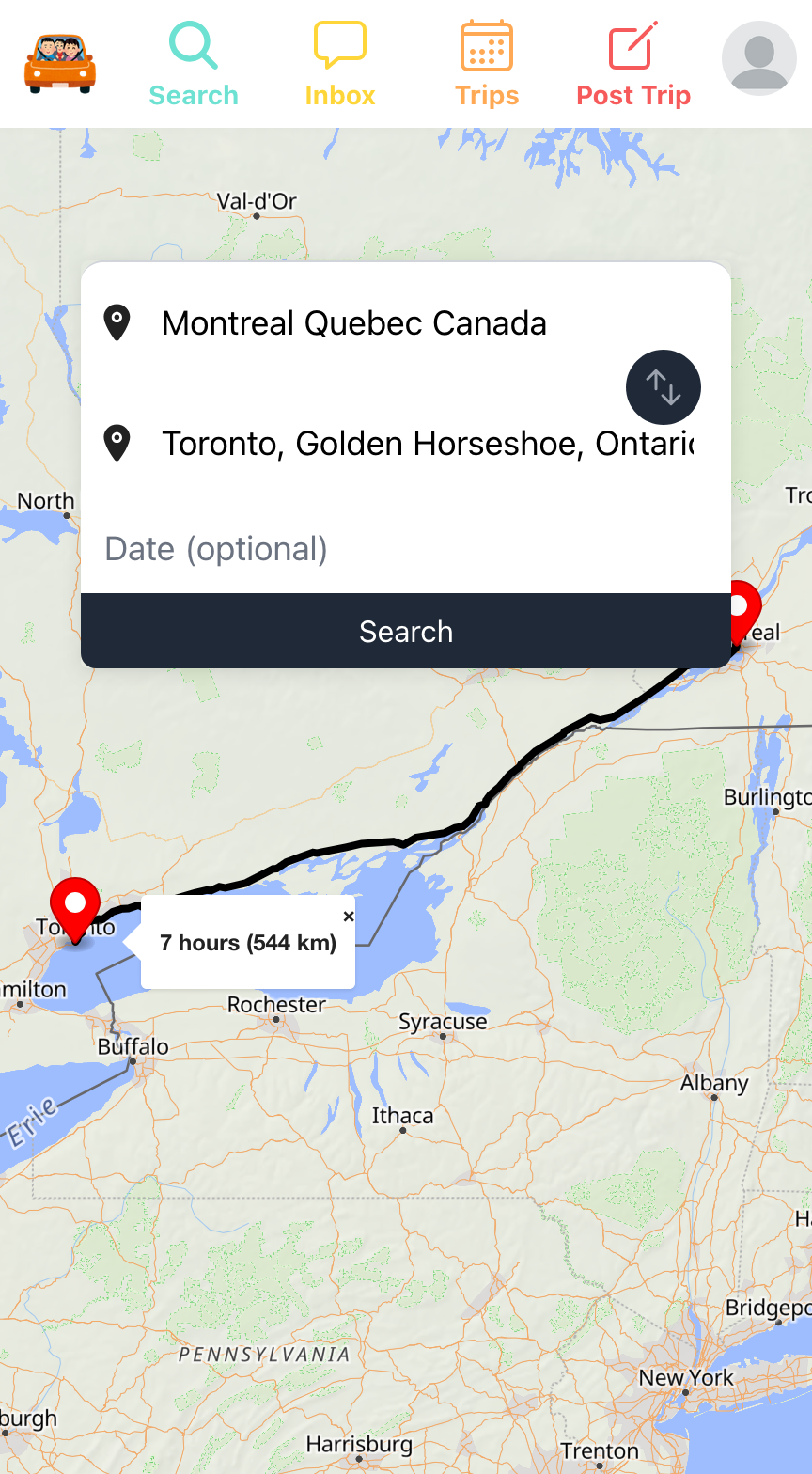
    <p>1. Use free search to find rides and add alerts to get notifications</p>
    <table class="wp-block-jetpack-slideshow_swiper-wrapper swiper-wrapper"
        style="border: 0; border-color: #ffffff; margin: 0;" cellspacing="0" cellpadding="0" border="0">
        <tbody>
            <tr>
                <td class="" style="border: 0; border-color: #ffffff; margin: 0;">
                    <figure>
                        <img alt="" class="wp-block-jetpack-slideshow_image wp-image-20" style="margin: 0;"
                            src="/blog/assets/mamiride_search_montreal_to_toronto.png" width="100%">
                        <figcaption class="wp-block-jetpack-slideshow_caption gallery-caption"
                            style="text-align: center; font-size: 0.5em;">Searching Montreal to Toronto trips in
                            Mamiride's App</figcaption>
                    </figure>
                </td>
                <td class="" style="border: 0; border-color: #ffffff;">
                    <figure>
                        <img alt="" class="wp-block-jetpack-slideshow_image wp-image-20" style="margin: 0;"
                            src="/blog/assets/mamiride_search_results.png" width="100%">
                        <figcaption class="wp-block-jetpack-slideshow_caption gallery-caption"
                            style="text-align: center; font-size: 0.5em;">Search results for Montreal to Toronto in
                            Mamiride's App
                        </figcaption>
                    </figure>
                </td>
            </tr>
        </tbody>
    </table>
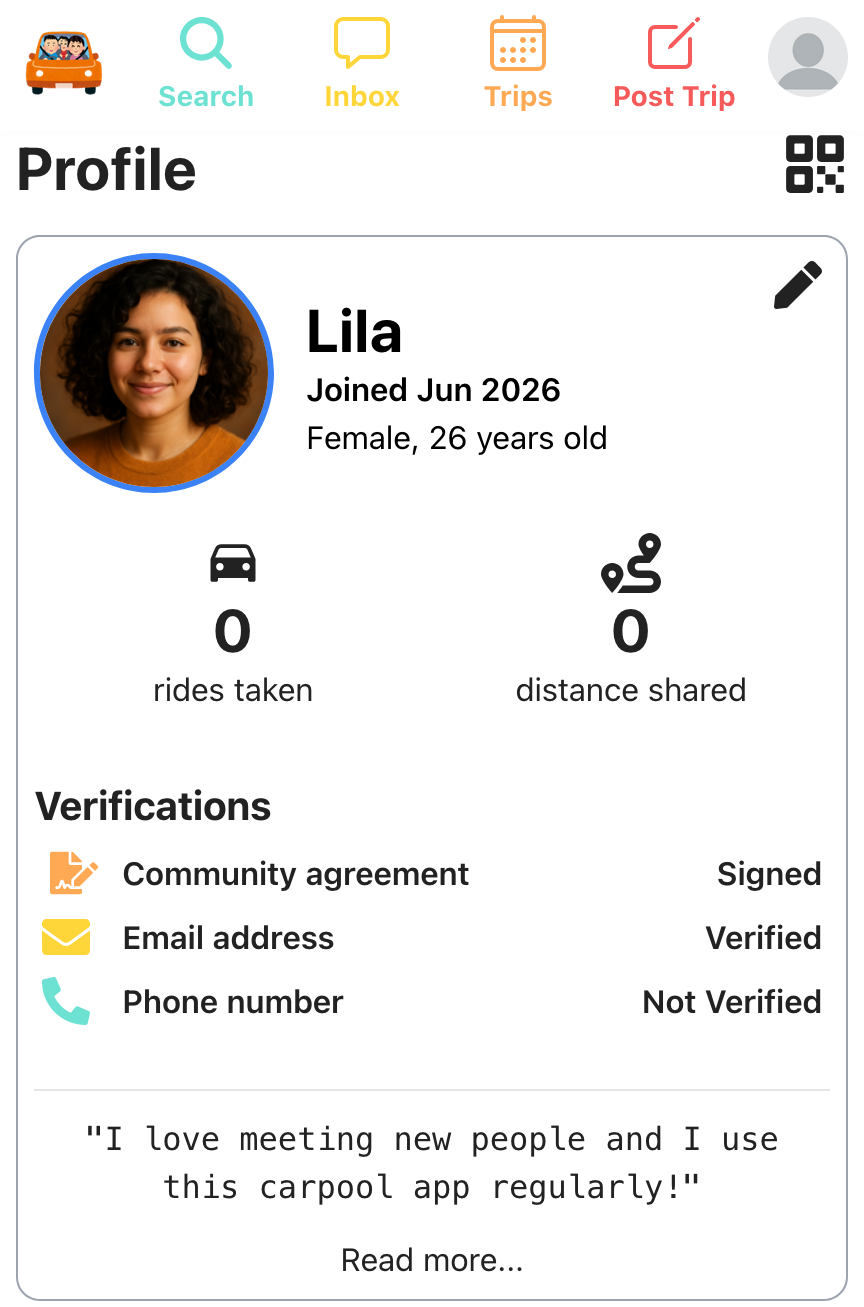
    <p>2. Share your profile with anyone using your QR Code</p>
    <table class="wp-block-jetpack-slideshow_swiper-wrapper swiper-wrapper"
        style="border: 0; border-color: #ffffff; margin: 0;" cellspacing="0" cellpadding="0" border="0">
        <tbody>
            <tr>
                <td class="" style="border: 0; border-color: #ffffff; margin: 0;">
                    <figure>
                        <img alt="" class="wp-block-jetpack-slideshow_image wp-image-20" style="margin: 0;"
                            src="/blog/assets/Lila_profile.png" width="100%">
                        <figcaption class="wp-block-jetpack-slideshow_caption gallery-caption"
                            style="text-align: center; font-size: 0.5em;">Lila's Profile in Mamiride's App</figcaption>
                    </figure>
                </td>
                <td class="" style="border: 0; border-color: #ffffff;">
                    <figure>
                        <img alt="" class="wp-block-jetpack-slideshow_image wp-image-20" style="margin: 0;"
                            src="/blog/assets/Lila_profile_qr_code.png" width="100%">
                        <figcaption class="wp-block-jetpack-slideshow_caption gallery-caption"
                            style="text-align: center; font-size: 0.5em;">Lila Profile's QR Code in Mamiride's App
                        </figcaption>
                    </figure>
                </td>
            </tr>
        </tbody>
    </table>
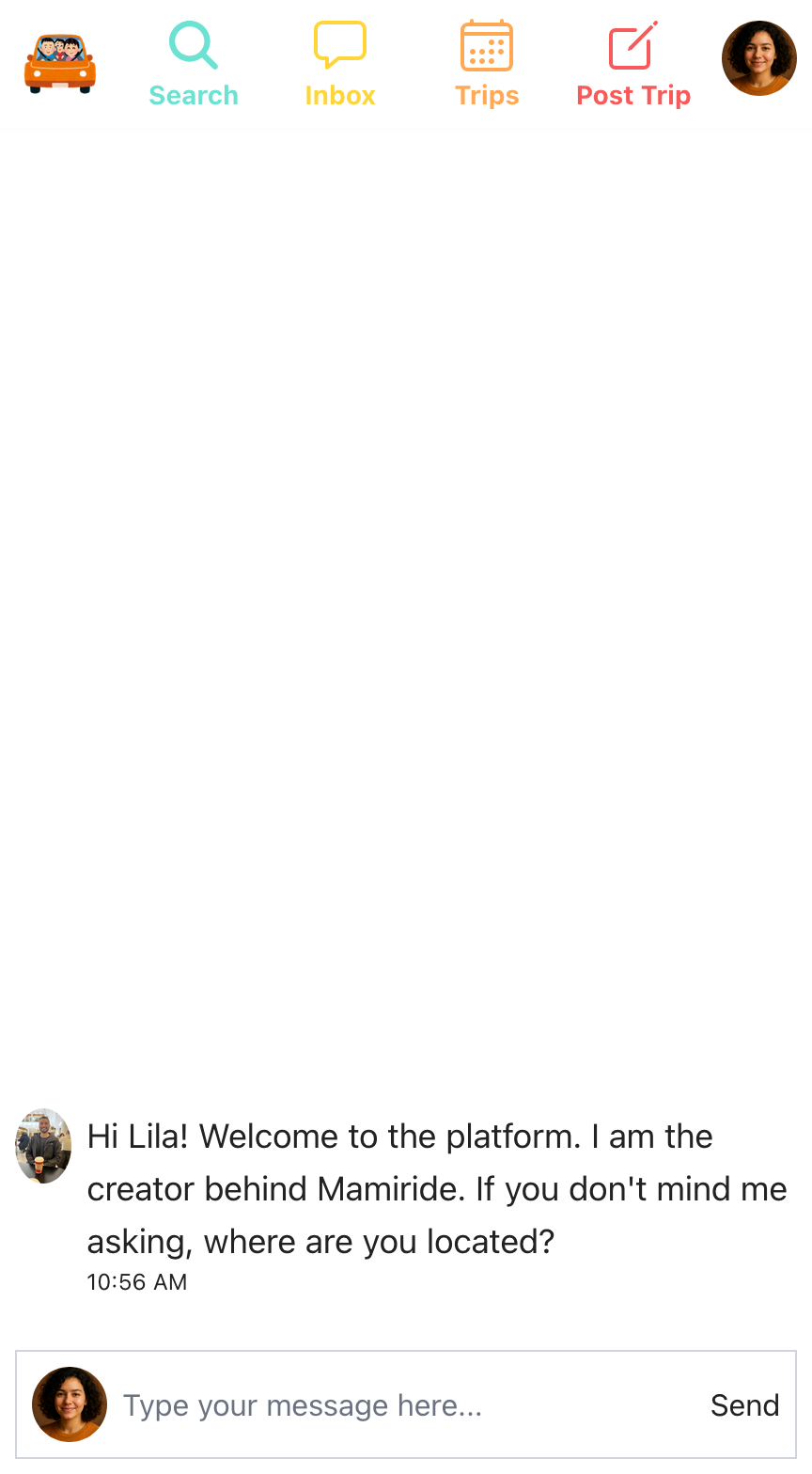
    <p>3. Chat with driver or riders or your friends who cares?</p>
    <table class="wp-block-jetpack-slideshow_swiper-wrapper swiper-wrapper"
        style="border: 0; border-color: #ffffff; margin: 0;" cellspacing="0" cellpadding="0" border="0">
        <tbody>
            <tr>
                <td class="" style="border: 0; border-color: #ffffff; margin: 0;">
                    <figure>
                        <img alt="" class="wp-block-jetpack-slideshow_image wp-image-20" style="margin: 0;"
                            src="/blog/assets/mamiride_inbox.png" width="100%">
                        <figcaption class="wp-block-jetpack-slideshow_caption gallery-caption"
                            style="text-align: center; font-size: 0.5em;">Your personal inbox in Mamiride's App
                        </figcaption>
                    </figure>
                </td>
                <td class="" style="border: 0; border-color: #ffffff;">
                    <figure>
                        <img alt="" class="wp-block-jetpack-slideshow_image wp-image-20" style="margin: 0;"
                            src="/blog/assets/mamiride_messages.png " width="100%">
                        <figcaption class="wp-block-jetpack-slideshow_caption gallery-caption"
                            style="text-align: center; font-size: 0.5em;">Chat message in Mamiride's App
                        </figcaption>
                    </figure>
                </td>
            </tr>
        </tbody>
    </table>
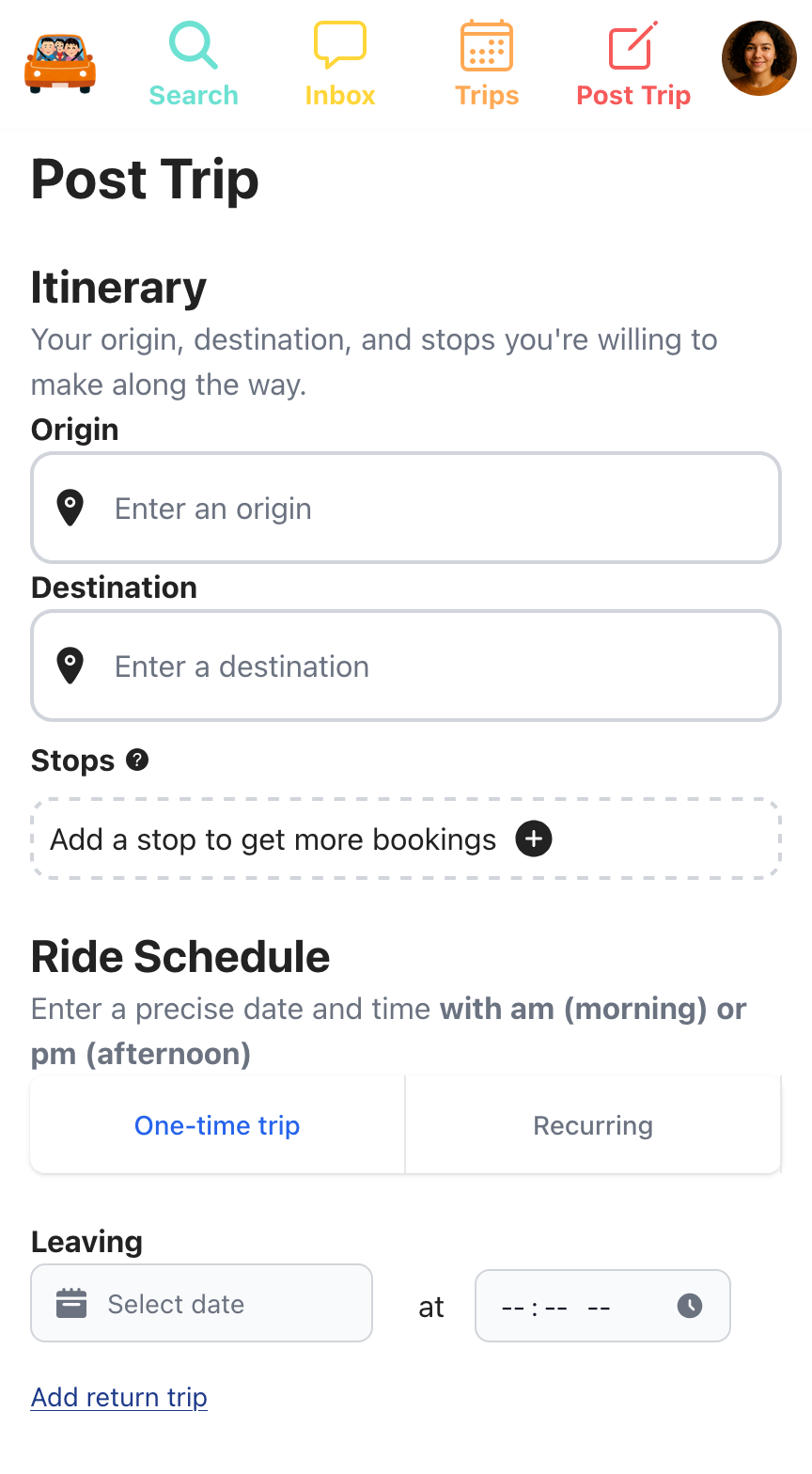
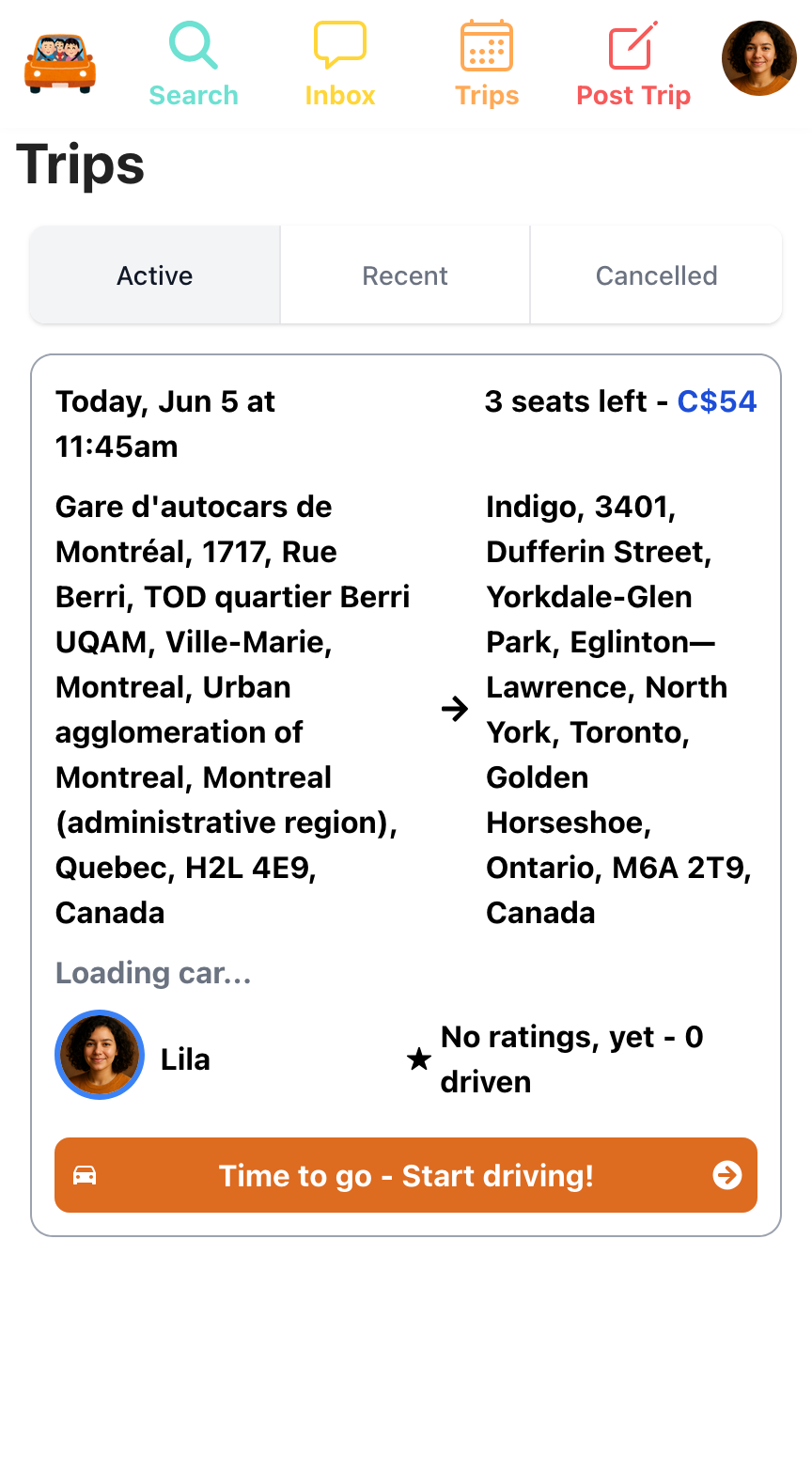
    <p>4. Add your trip and drive others</p>
    <table class="wp-block-jetpack-slideshow_swiper-wrapper swiper-wrapper"
        style="border: 0; border-color: #ffffff; margin: 0;" cellspacing="0" cellpadding="0" border="0">
        <tbody>
            <tr>
                <td class="" style="border: 0; border-color: #ffffff; margin: 0;">
                    <figure>
                        <img alt="" class="wp-block-jetpack-slideshow_image wp-image-20" style="margin: 0;"
                            src="/blog/assets/mamiride_post_your_trip.png" width="100%">
                        <figcaption class="wp-block-jetpack-slideshow_caption gallery-caption"
                            style="text-align: center; font-size: 0.5em;">Post your own trip and driver others in
                            Mamiride's App</figcaption>
                    </figure>
                </td>
                <td class="" style="border: 0; border-color: #ffffff;">
                    <figure>
                        <img alt="" class="wp-block-jetpack-slideshow_image wp-image-20" style="margin: 0;"
                            src="/blog/assets/mamiride_see_your_trips.png " width="100%">
                        <figcaption class="wp-block-jetpack-slideshow_caption gallery-caption"
                            style="text-align: center; font-size: 0.5em;">See your active, recent and cancelled trips in
                            Mamiride's App
                        </figcaption>
                    </figure>
                </td>
            </tr>
        </tbody>
    </table>
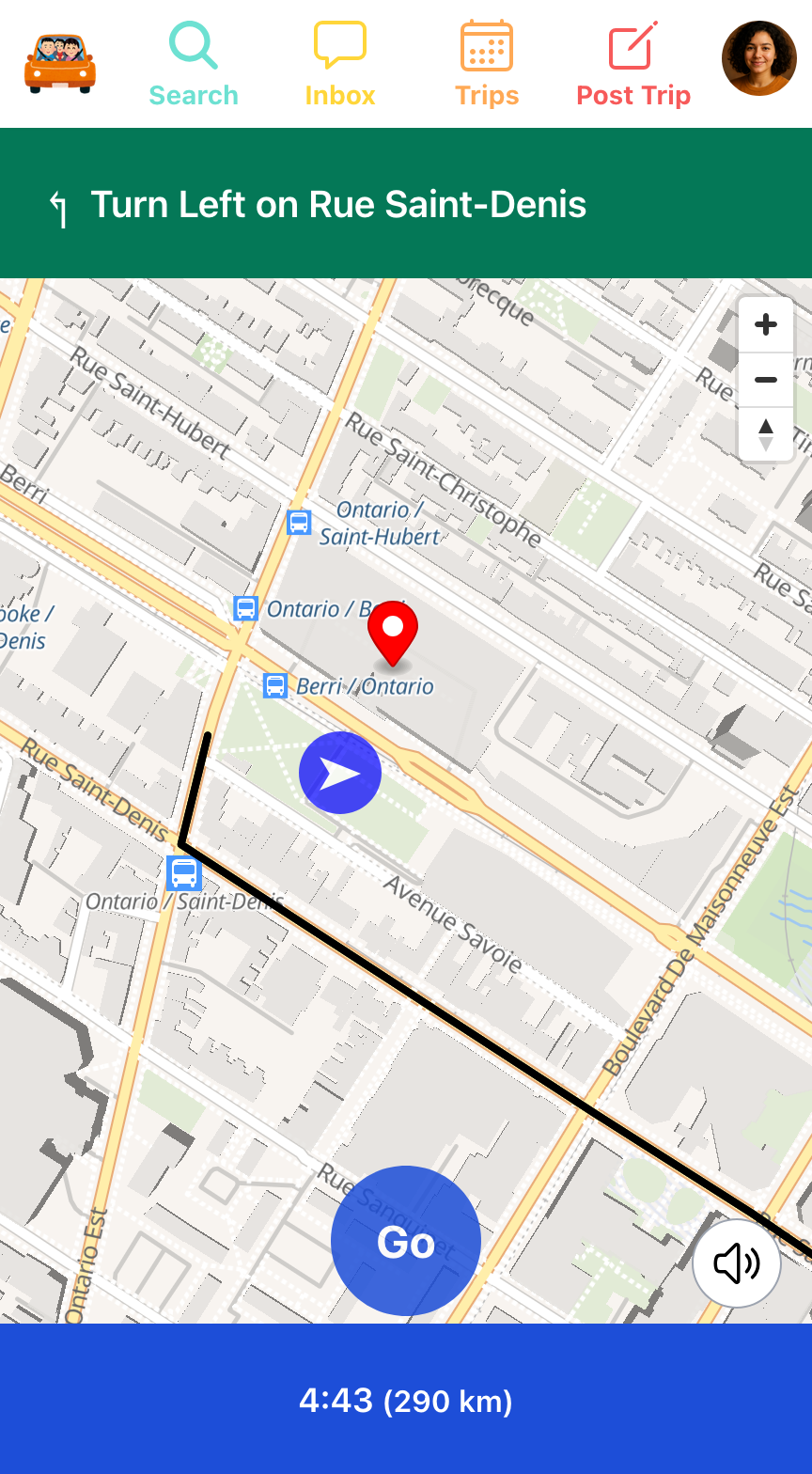
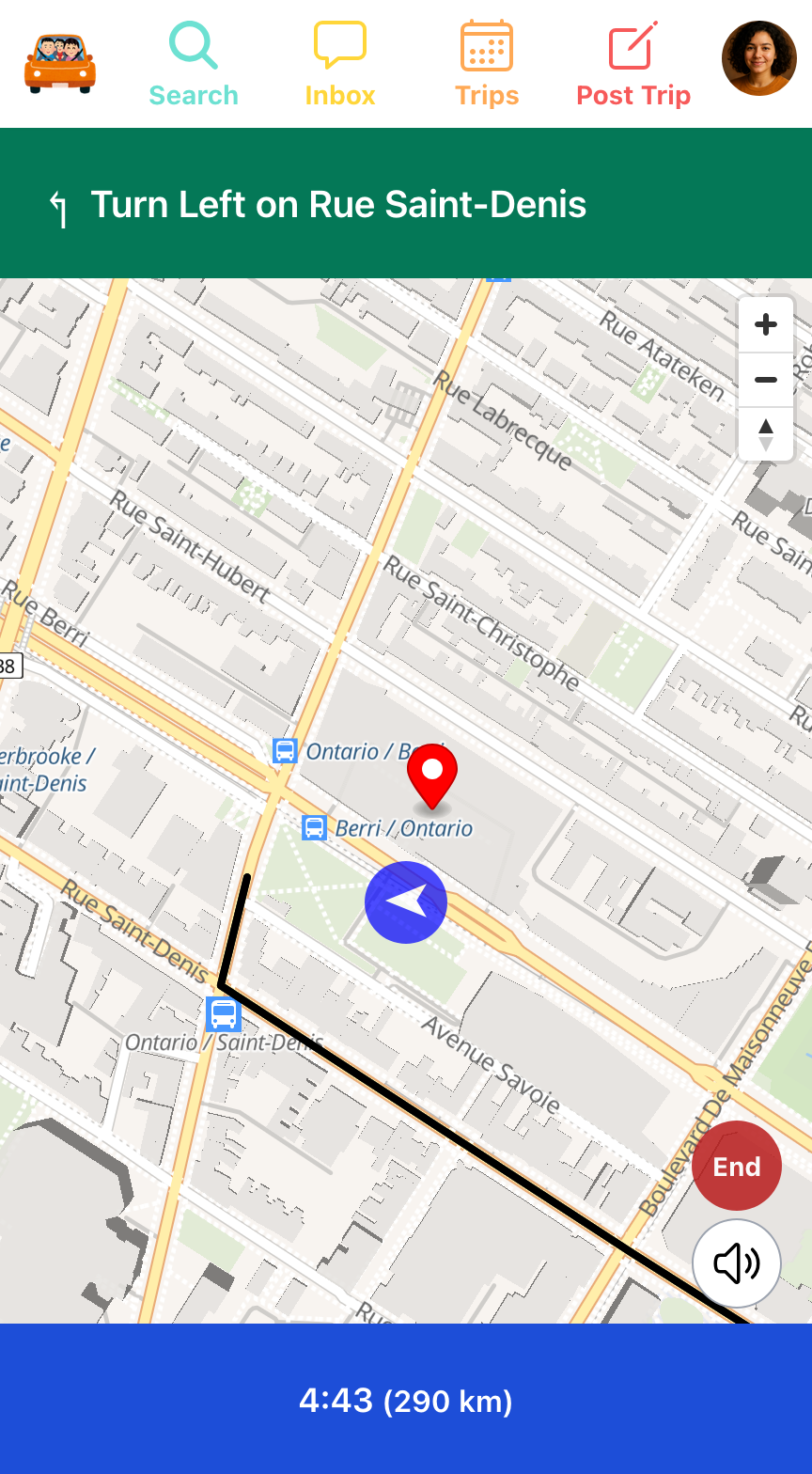
    <p>5. Use built-in Navigation over other navigation apps</p>
    <table class="wp-block-jetpack-slideshow_swiper-wrapper swiper-wrapper"
        style="border: 0; border-color: #ffffff; margin: 0;" cellspacing="0" cellpadding="0" border="0">
        <tbody>
            <tr>
                <td class="" style="border: 0; border-color: #ffffff; margin: 0;">
                    <figure>
                        <img alt="" class="wp-block-jetpack-slideshow_image wp-image-20" style="margin: 0;"
                            src="/blog/assets/mamiride_built_in_navigation.png" width="100%">
                        <figcaption class="wp-block-jetpack-slideshow_caption gallery-caption"
                            style="text-align: center; font-size: 0.5em;">Built-in navigation in Mamiride's App
                        </figcaption>
                    </figure>
                </td>
                <td class="" style="border: 0; border-color: #ffffff;">
                    <figure>
                        <img alt="" class="wp-block-jetpack-slideshow_image wp-image-20" style="margin: 0;"
                            src="/blog/assets/mamiride_built_in_navigation_go.png" width="100%">
                        <figcaption class="wp-block-jetpack-slideshow_caption gallery-caption"
                            style="text-align: center; font-size: 0.5em;">Riders see your live location in Mamiride's
                            App
                        </figcaption>
                    </figure>
                </td>
            </tr>
        </tbody>
    </table>
</div>]]></content><author><name>Mamiride</name></author><category term="Newsletter" /><summary type="html"><![CDATA[You can use these top 5 features today. 1. Use free search to find rides and add alerts to get notifications Searching Montreal to Toronto trips in Mamiride's App Search results for Montreal to Toronto in Mamiride's App 2. Share your profile with anyone using your QR Code Lila's Profile in Mamiride's App Lila Profile's QR Code in Mamiride's App 3. Chat with driver or riders or your friends who cares? Your personal inbox in Mamiride's App Chat message in Mamiride's App 4. Add your trip and drive others Post your own trip and driver others in Mamiride's App See your active, recent and cancelled trips in Mamiride's App 5. Use built-in Navigation over other navigation apps Built-in navigation in Mamiride's App Riders see your live location in Mamiride's App]]></summary></entry></feed>